

cynkra


blockr: A Visual, No-Code Framework for R

Drag analysis steps into interactive dashboards. Every click writes R code you can keep.

blockr is an open-source framework for building data apps in R by pointing and clicking. Add a dataset, filter it, plot it, arrange the panels. Developed by cynkra with Bristol Myers Squibb.

Building a blockr board: add a dataset, filter it, plot it, arrange the panels, change the filter

Add data Filter Plot Arrange Change it

Why blockr


decorative background

Build a dashboard by adding blocks: load data, filter, summarise, plot. Arrange the panels like in an IDE. Results update as you click.

For Analysts

decorative background

Every board exports as an R script or a Quarto report. Save a board, share it, restore an earlier version.

For Teams

decorative background

Write blocks for your own domain, or describe one to a coding agent and get a working block in minutes.

For Developers


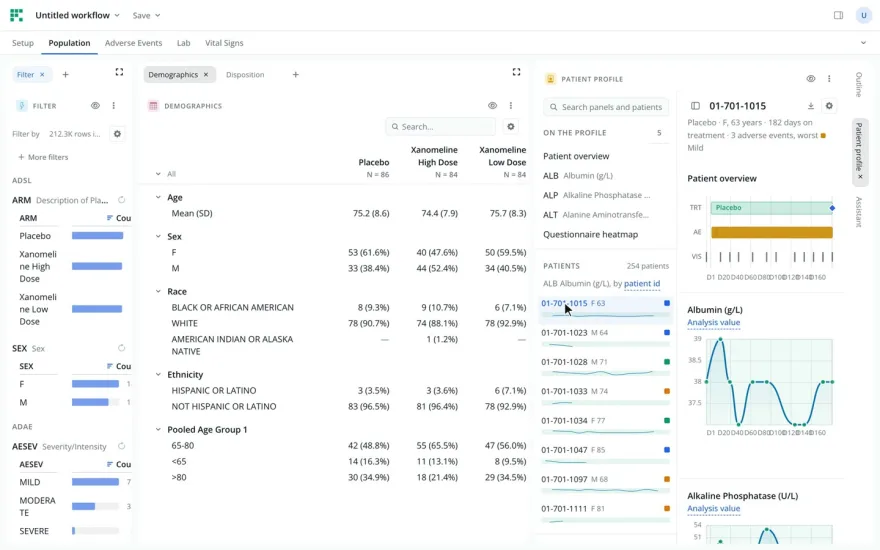
Clinical Explorer

Clinical Explorer

AI-enabled exploration of an ADaM trial: demographics, adverse events, lab, vitals, patient profile.
Pharma

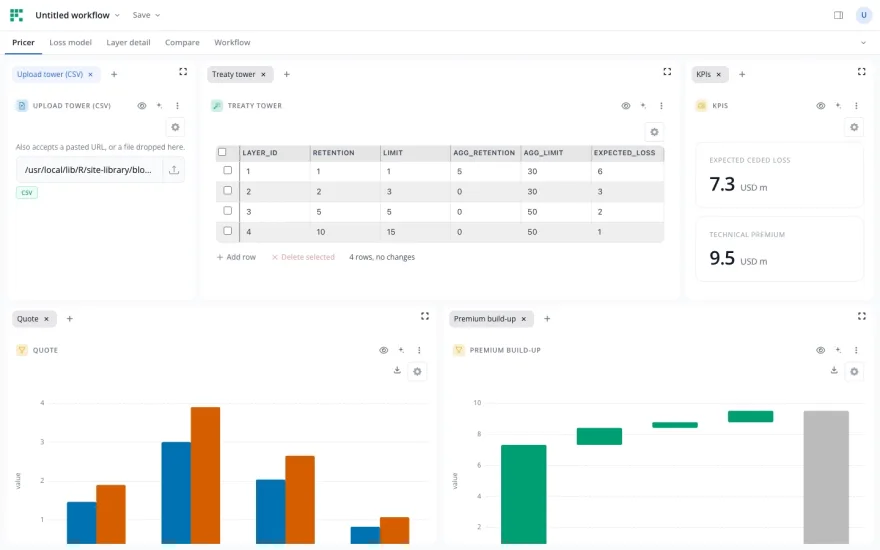
Treaty Pricer

Treaty Pricer

Reinsurance pricing: an editable treaty tower drives the loss simulation and the premium.
Insurance

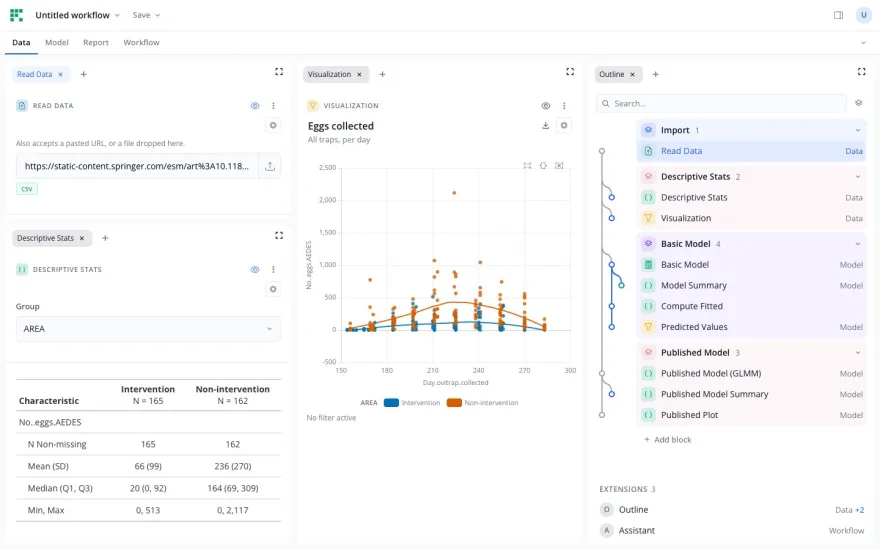
Does mosquito control work?

Does mosquito control work?

Refits a published mosquito-control study. The Quarto report comes out of the same board.

Research

From The Blog

blockr: Clinical Data Analysis without Code

A recap of my R/Medicine 2026 talk. blockr is a no-code dashboard builder for R. We demo a clinical explorer where updates take minutes instead of weeks. This open-source work was done in collaboration with Bristol Myers Squibb.

Read more

Bring blockr to your organization

We build blocks for your domain, deploy blockr on your infrastructure and train your team. Pharma, insurance and public sector.

Get in Touch

The blockr packages


The foundation of the blockr ecosystem. Provides the core infrastructure for building block-based data workflows, including the block registry, DAG execution engine, and Shiny integration.

Key Features

  • Block registry and management
  • DAG-based workflow execution
  • Shiny server integration
  • Extensible plugin system
open source project

Views with tabbed and split panels, arranged like an IDE. Users drag panels into place and keep several views per board.

Key Features

  • Tabbed and split panels
  • Several views per board
  • Light and dark theme
  • Extension panels
open source project

The board as a graph of blocks. Add blocks from the graph, connect their inputs, copy and paste parts of a workflow.

Key Features

  • Add blocks from the graph
  • Connect inputs
  • Copy and paste
  • Stacks and groups
open source project

Data transformation blocks powered by dplyr. Filter rows, select columns, mutate, summarize, arrange, and join tables - all through a visual interface.

Key Features

  • Filter, select, mutate operations
  • Group by and summarize
  • Join and merge tables
  • Arrange and sort data
open source project

Create beautiful visualizations with ggplot2-powered blocks. Scatter plots, bar charts, line graphs, histograms and more - with full theming support.

Key Features

  • Scatter, bar, line, histogram plots
  • Aesthetic mappings via UI
  • Faceting and themes
  • Interactive plot configuration
open source project

Import and export data from multiple sources. Support for CSV, Excel, Parquet, and database connections - making data accessible to your workflows.

Key Features

  • CSV, Excel, Parquet support
  • Database connections
  • URL and API data sources
  • Export to multiple formats
open source project